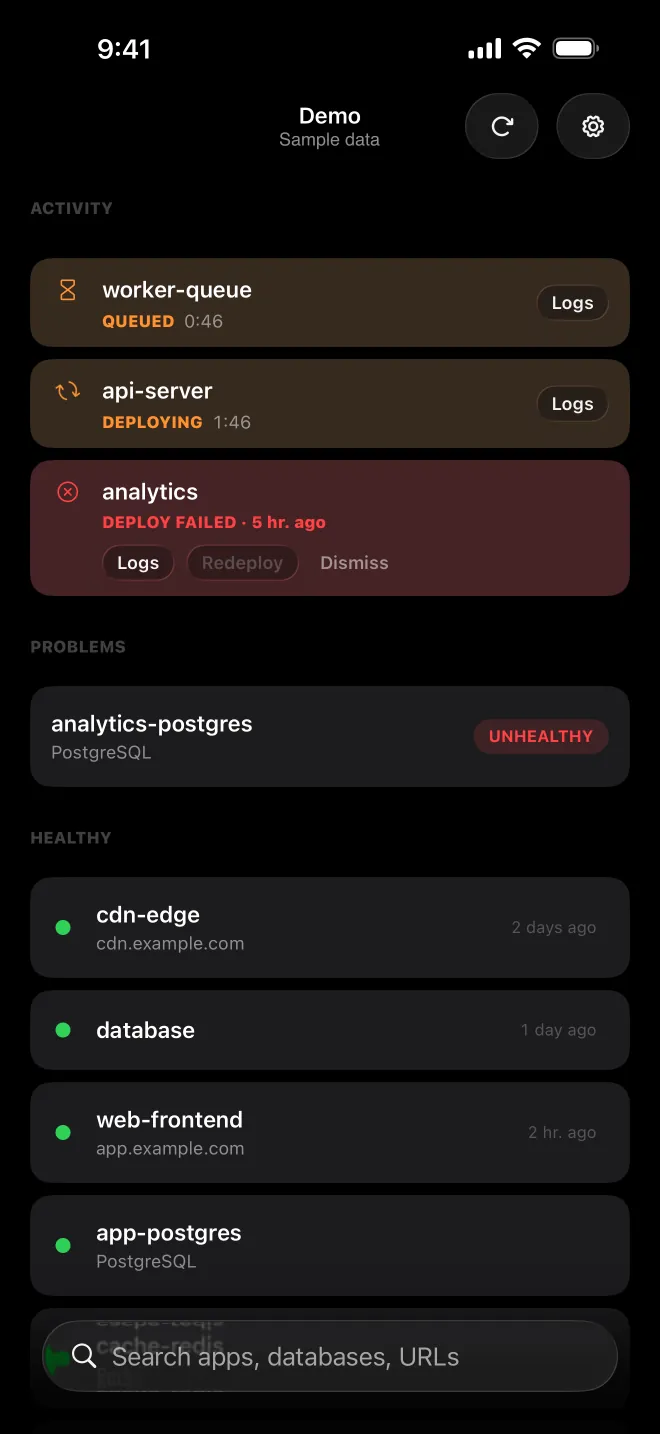
Every service. One list.
Filter by state, pin important apps and switch between Coolify servers without losing the release you were watching.
 Deploir
The native companion for Coolify, the open-source platform you host yourself. Watch deployments, read live logs and step in from your Mac, iPhone and iPad. No account, no tracking, no extra backend.


Free · macOS 26, iOS 26 & iPadOS 26 · Coolify v4 over HTTPS
Mac app via Homebrew
brew install --cask pixzl/tap/deploirDeploir lives in the macOS menu bar. Its icon switches while a deploy runs, and one click opens your servers, deployment history, logs and release controls.
Real screenshots from Deploir’s demo mode on iPhone. The same demo is one tap away before you connect a server.
Filter by state, pin important apps and switch between Coolify servers without losing the release you were watching.
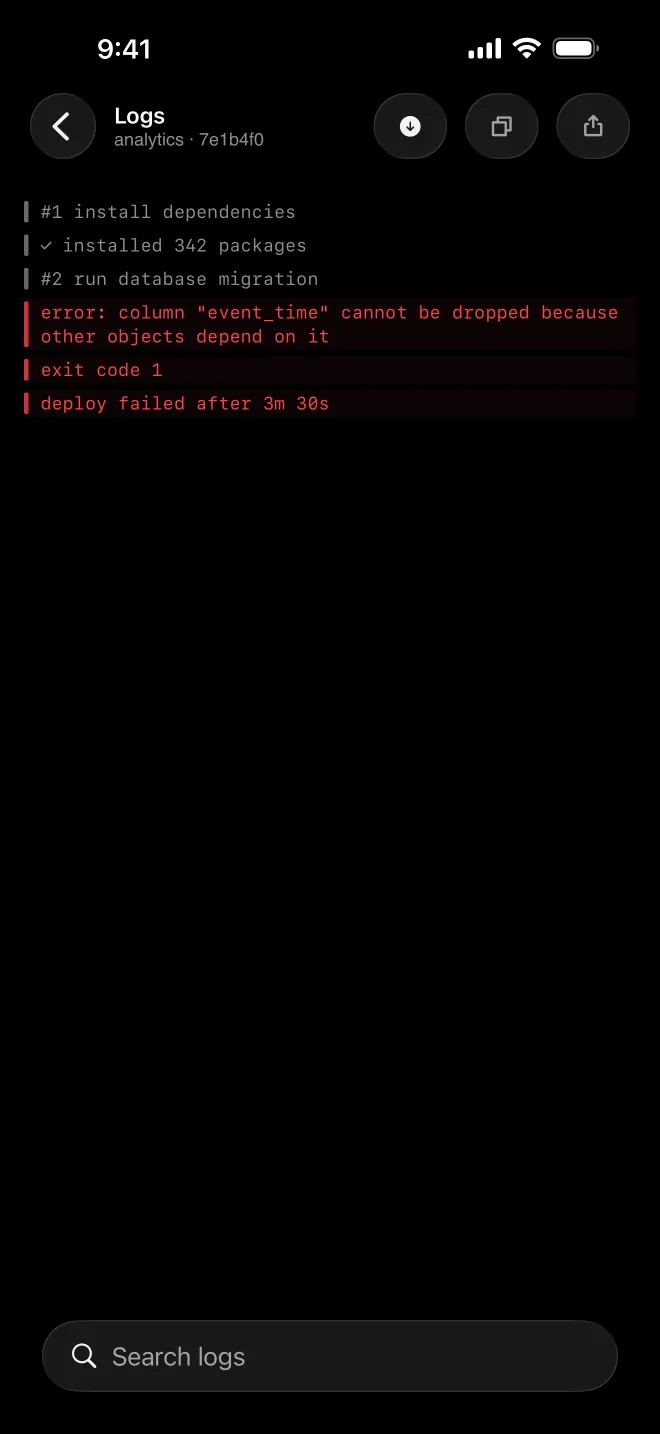
Read live deployment output, search it and copy the line you need while the context is still fresh.
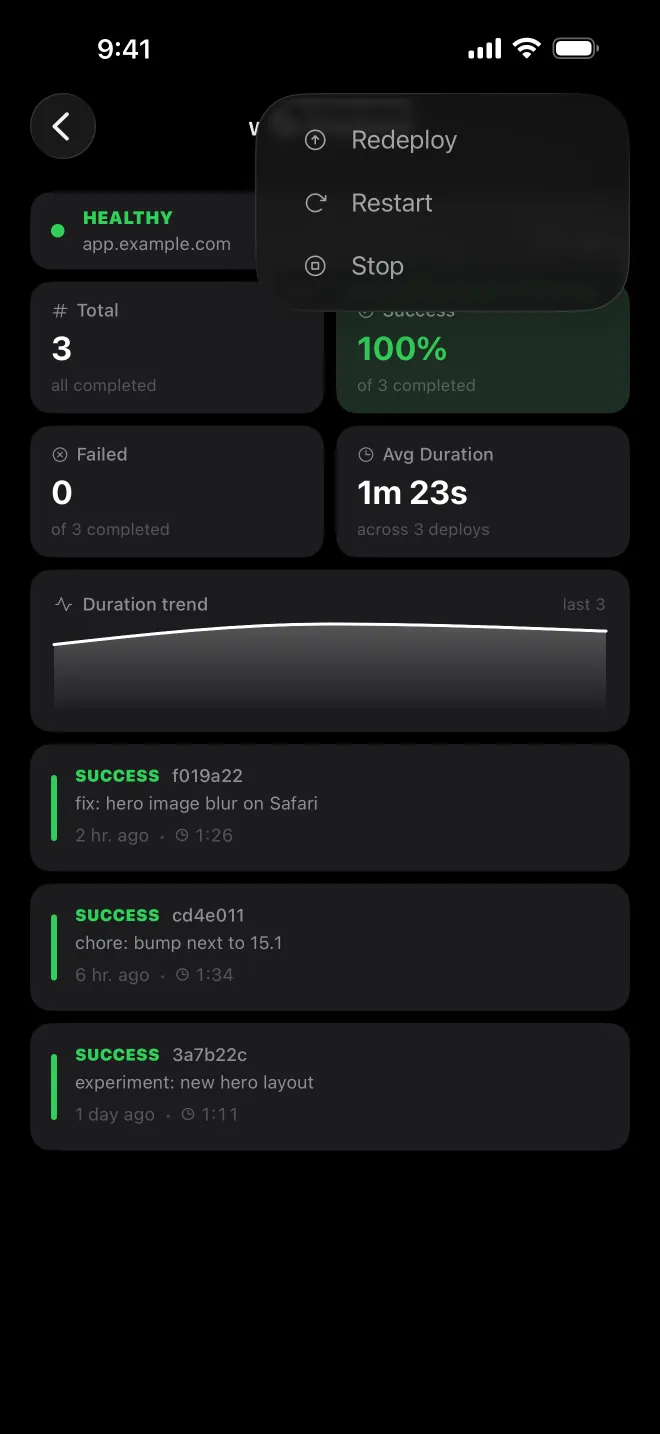
Check success rate and duration, then redeploy, restart, stop or roll back with deliberate native controls.
The details that make Deploir useful after the first successful deploy — and during the first failed one.
Stream a running build, search it and copy the line you need. Auto-scroll steps aside while you read back.
Compare past releases by success rate and duration, then roll back to a known-good commit after an explicit confirmation.
Local notifications for finished and failed deploys and health changes. Tap one to land in its logs, or snooze a noisy health check.
A Live Activity keeps the elapsed time ticking on the Lock Screen. Widgets sit on the Home Screen, Lock Screen and Mac desktop, and Siri Shortcuts deploy or restart after you confirm.
API tokens stay in the device-bound Apple Keychain and never sync. Deploir talks directly to the Coolify server you entered — there is no Pixzl relay in between.
Setup asks for four Coolify permissions. Monitoring alone works with read and read:sensitive — without deploy, the action buttons simply fail with a permission error.
| Permission | What Deploir does with it | Without it |
|---|---|---|
read | Lists apps, databases, services, deployments and their health. | Nothing to show. |
read:sensitive | Loads build logs. Coolify strips them otherwise, because logs can contain secrets. | Deployment logs may stay empty. |
deploy | Deploy, redeploy, roll back, start, stop and restart. | Actions fail; monitoring keeps working. |
write | None of Deploir’s actions use it on current Coolify v4 releases. | No difference today. |
A Mac on macOS 26 or an iPhone or iPad on iOS or iPadOS 26, a Coolify v4 instance reachable over HTTPS and an API token. Setup asks for the read, write, deploy and read:sensitive permissions and tests the connection before saving it.
Yes. Demo mode fills the app with sample apps, deployments, logs and metrics. Actions are disabled, so you can explore safely before connecting Coolify.
Deploir connects to any HTTPS address your device can reach, for example through a VPN. It relies on the system’s certificate trust, so a certificate from your own CA works once your Mac, iPhone or iPad trusts that CA. Plain HTTP is refused.
The token stays in the Keychain of the device you entered it on and never syncs. If you use iCloud, Deploir syncs server names, URLs, colors, favorites and a few preferences, so another device only needs its own token. Without iCloud everything stays local.
Deploir checks the active server every 5 seconds by default. On Mac the menu-bar icon and popover update right away. On iPhone and iPad you also get local notifications; in the background those depend on iOS background refresh, which iOS schedules on its own terms. No Pixzl push server is involved.
Nothing. Deploir is free on Mac, iPhone and iPad — no ads, in-app purchases, account or license key. It is made by Pixzl, a software studio in Ahaus, Germany.
One free download for Mac, iPhone and iPad. No sign-up, no license key.
Free · macOS 26, iOS 26 & iPadOS 26 · Coolify v4 over HTTPS
brew install --cask pixzl/tap/deploirRather look first? Demo mode needs no server.